 NURBS Surface Split
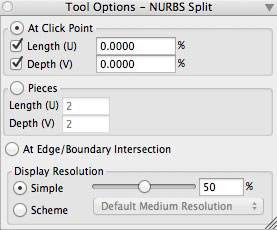
The NURBS Split tool options palette.
This tool works in two different ways: it may split a surface At Click Point or to a prespecified number of Pieces. These options are set in its tool options palette before the operation is executed.
When At Click Point, this tool works as the NURBS Extract Curves tool, except that, instead of deriving isolines at the specified positions, it splits the surface at those positions. It again does a single split or two splits depending on whether Length (U) and/or Depth (V) are on. After the split is performed the percentages representing the positions of the splits are displayed in the Length/Depth fields.
When Pieces is on, the numbers in the Length/Depth fields indicate how many equidistant splits will be generated in each direction.
When the At Edge/Boundary Intersection option is selected, the user first selects the surface to split, then selects an additional curve object or edge that intersects a boundary of the surface. The surface is split at the intersection point.
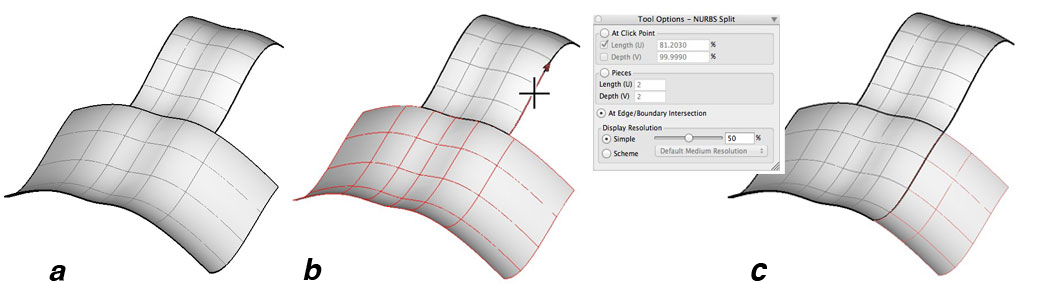
Example of At Edge/Boundary Intersection option, (a) original surfaces (b) clicking on an intersecting edge with the Edge Boundary option active, and (c) the resultant new NURBS surfaces.